How Send to Kobo works
I sometimes have a very specific kind of stuck, and if you own a Kobo I bet you know it too. The book is right there on my iPhone — a DRM-free epub, mine, free or paid for — and the Kobo e-reader is across the room, and the only ways I know to get the file from one to the other involve a USB cable I can never find, or Calibre, or emailing the thing to myself and hoping, or using an anonymous third-party site that I don’t trust. So most nights I just… don’t. I frown and read something else.
The Shelf Life app with the “Send to Kobo” feature is what I built to address that exact problem, and
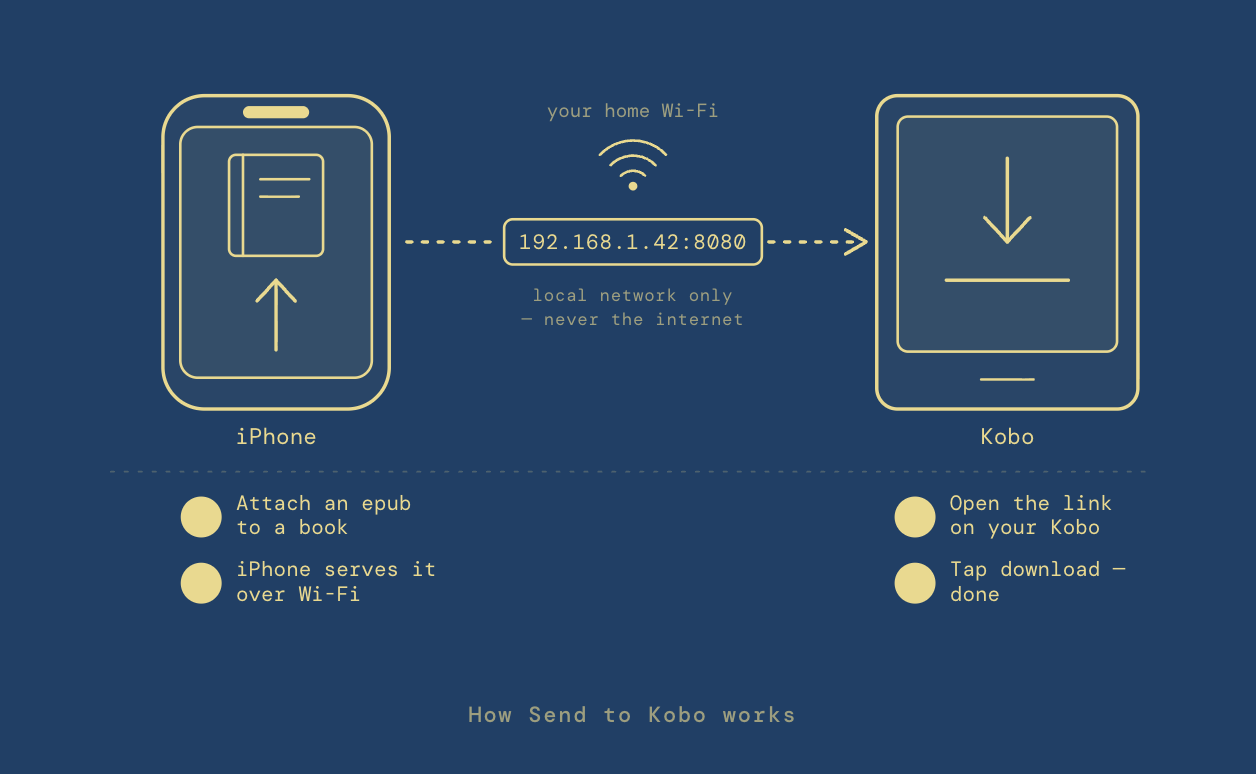
the way it works is quite simple. In Shelf Life, you attach an epub to a
book in your library. You tap send. Your phone reads you a web address —
something like 192.168.1.42:8080. You type that into the browser that’s
already on your Kobo, tap download, and a few seconds later the book is sitting
on the device, ready to read.
That whole exchange happens on your home Wi-Fi and nowhere else. When you tap send, your phone quietly stands up a tiny web server — just for the moment, just for that one file — and hands the epub straight to the Kobo over the local network. The book never touches a cloud, a sync account, or third-party servers, because there are no servers. There’s no login. There’s no tracking. It’s two devices you own, talking to each other on a network you control.
Both devices have to be on the same Wi-Fi — this is a home-network flow, not an over-the-internet one, so it won’t save you in a coffee shop, and a locked-down hotel network will most likely fight you. The first time, your iPhone will ask for permission to talk to devices on your local network, and you have to say yes. And yes, typing an IP address into an e-reader in 2026 feels a little like time travel. But once you’ve done it once, the rhythm is faster than any cable dance I’ve used: finish a book, grab the next epub, tap, type, download, read.
Most of the ways we move our digital stuff around now route through somebody’s cloud — your files take a detour through a company’s servers so that two gadgets six feet apart can shake hands. That’s convenient right up until it isn’t: the account, the outage, the terms-of-service change, the sense that the books you “bought” are being rented back to you. Sending a file across your own living room shouldn’t require a middleman, and here it doesn’t.
It’s not a very flashy feature, but as a heavy e-book reader, I can certainly say that this has helped reduce friction and get me reading quickly, while in the past thinking of going to my Mac to transfer a book made me just do something else.